🌌 Solar System in Processing 🪐
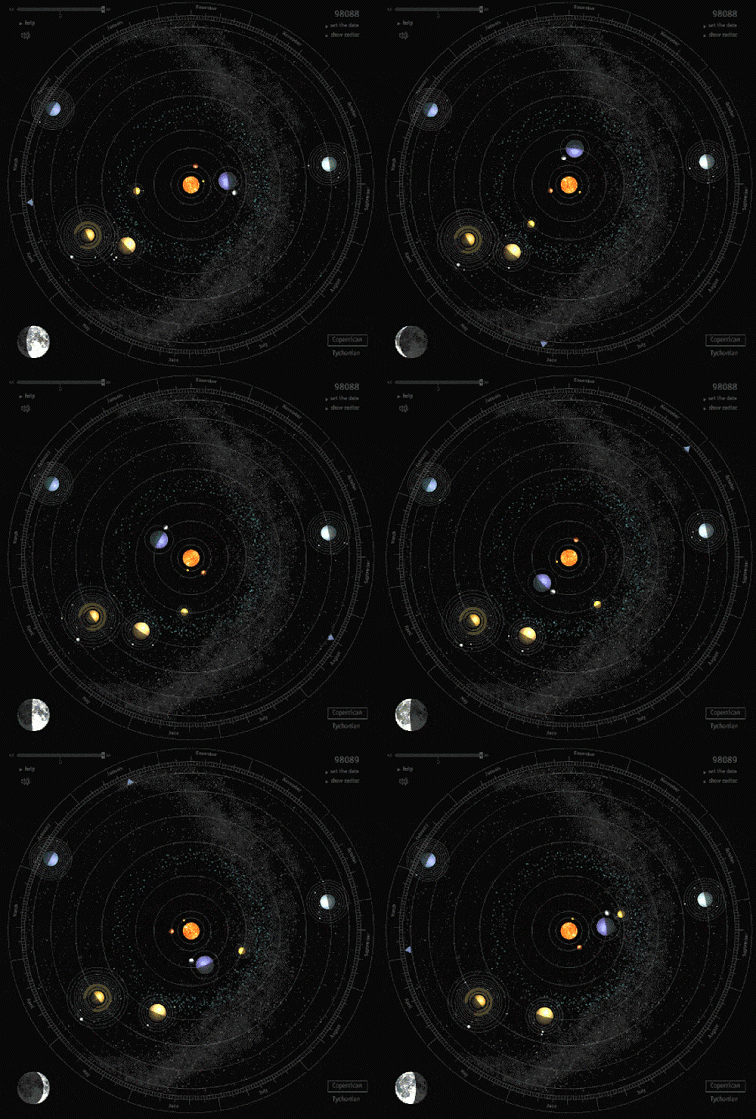
Hello, budding astronomers and programmers! Let’s embark on an interstellar journey to create a model of our solar system at a certain point in time. Don’t worry, soon we’ll make those celestial bodies revolve! 🚀 First, however, you should click on the gif below to decide which phase of our solar system you will simulate.
Click to learn about the solar system
👻 Plan 👻
Answers these for planning
1. What are you going to build?2. What colors will you use?
3. What shapes will you use?
4. What future actions will you want your planets/stars to do?
5. How will you know you are done?
7. What are your variables
9. What is your input
11. What is your output?
🎃 Peer Review 🎃
Before moving on, you must have your idea/plan peer-reviewed by three other students. Peer review is the crux of all science
First, gain and give 3 Peer reviews. In this class, peer review is simple. Give a 🌟 glow 🌟, 🌿 grow 🌿, and an 🔬 insight 🔬 as a comment. Less than a paragraph is not helpful, more than a few paragraphs is scary.
🐦🔥 When Being reviewed 🐦🔥
- Create a flow chart of your program logic. - Explain how said logic will represent the science aspect of our solar system by doing x, y, and z. - Explain how said logic will represent the artistic aspect of our solar system by doing x, y, and z credit.Flow Chart

Code Review Example
   def circle_area(radius):
    pi = 3.14
    return pi * radius * radius
🌟 Glow 🌟: Great job on keeping the function concise and to the point! The function name circle_area is descriptive, and it's clear what the function is intended to do. Using a clear variable name like radius also makes the code easy to understand.
🌿 Grow 🌿: Consider using the built-in math.pi instead of hardcoding the value of pi to 3.14. This would make the calculation more accurate and also show that you're utilizing Python's built-in libraries effectively.
🔬 Insight 🔬: Did you know that the formula you used is derived from the integral of r with respect to θ from 0 to 2π in polar coordinates? It's fascinating how math and programming often intersect in such ways!
⭐ Step 1: Set up the Cosmic Canvas
👾 Code Example

🦮 Hint
The `size(800, 600);` sets our universe's width and height. Feel free to make it bigger or smaller!🌟 Step 2: Light Up the Stars
👾 Code Example

🦮 Hint
The `ellipse(400, 300, 100, 100);` function draws the sun. The first two values set the position (x, y), and the last two values set the width and height of the ellipse. You already have been making flow charts and using conditionals! Here is a basic condition in Java!
🌲 Step 3: If 🐁 do
Look up and add user input and a conditional to your program. I suggest using the mouse, but you can use whichever method you like.
🌟 Input Hint
Input is the first thing I think about. What data does the program need? Check out this link to see how processing allows a programmer to create interactive works of art! [Processing Mouse Example](https://processing.org/examples/mousefunctions.html)🦮 If/Else Hint
If statements in Java are the same as in every language. The only change is in the structure of the words, i.e., syntax.Flow Chart
Here is the actual Java code!

🪐 Step 4: Add New Components
Use three new methods and use three arguments by using the processing documentation.
Can you add the moons, asteroid belts, or scale planet sizes? Soon, we will make this solar system spin :) Perhaps the stars are just coming to life, or it’s the end of the solar system.
Methods & Arguments
🛠️ Method 🛠️
Imagine you have a toy robot 🤖. This robot can do different things like walk 🚶, dance 💃, and sing 🎤. Each of these actions is like a "method" for the robot. In Python, objects (like our robot) can have methods that allow them to do specific tasks. In Python, you can chain methods together
   # Calling a Method
   robot.dance()
   # Chaining methods
   robot.dance().backfilp()
   answer = input("what is the answer?")
   anwser.find(string.upper())
🎁 Argument 🎁
Now, let's say your robot can also paint 🎨, but it needs to know which color to use. You tell the robot the color by giving it a small box 🎁 with the paint inside. This box is like an "argument" you give to the method.robot.paint("blue")So, in simple terms: - A 🛠️ method 🛠️ is an action or task that something can do.
- An 🎁 argument 🎁 is extra information you give to help the method do its job. I hope that helps! 🌟
🦊 Step 5: Presentations
Pick a topic below to research, demo, and teach your classmates. This will happen, in the next class! First come first choice. I will update this list as it progresses.
Present
- Sequence- Input
- Parameters
- Conditionals
- Data types
You will be required to give a short assessment at the end of the presentation. The class average of your assessment will be your presentation grade! You may not go over 10 mins. The format is however you wish to teach!
🌊Step 6: User Interaction🌊
To step up for the triva game, we need to learn how to handle user inputs to control our canvas. To start, we will use the functions:
map()mouseX()mouseY()
We will make the background changed based on where the mouse is at!
🆗 Step 7: Am I Done 🆗?
Check List
 - Peer review document (3 reviews given, 3 reviews received)
- Flow Chart (Image)
- User input used (commented in code)
- Conditional Statement used with AND & OR (commented in code)
- Art aspect clear (commented in code)
The science aspect is clear (commented in code)
- 3 unique shapes (commented in code)
- 3 unique colors (commented in code)
- Create Class Lesson (Your choice of medium)
- Use three new methods (commented in code)
- use three arguments (commented in code)